
When you open the extension for the first time, you will see this screen.
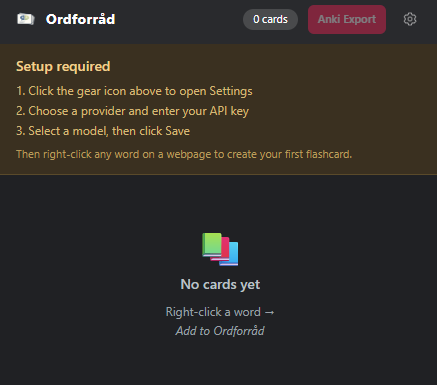
Open Settings
Install Ordforråd from the Chrome Web Store, then click the gear icon in the top-right corner to open the settings panel.
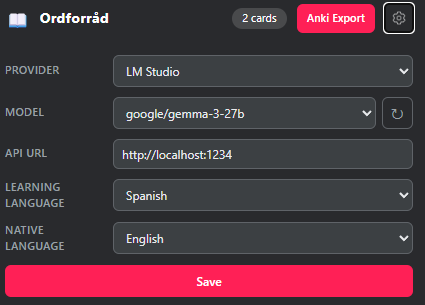
Configure an AI provider
Choose one of the supported providers and enter the required credentials:
LM Studio
Local & free. No API key needed. Requires LM Studio running on your machine with a model loaded.
OpenAI
Requires an API key from platform.openai.com.
Anthropic
Requires an API key from console.anthropic.com.
Google AI
Requires an API key from aistudio.google.com.
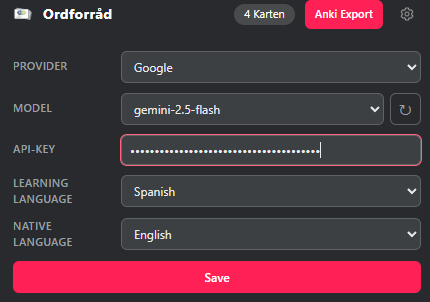
Select languages & save
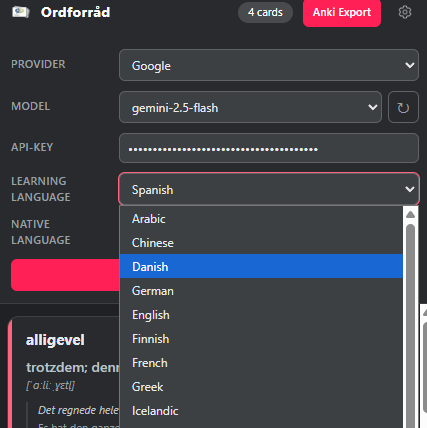
Set your learning language (the language you're studying) and your native language (for translations). Then select a model from the dropdown and click Save.
Create your first card
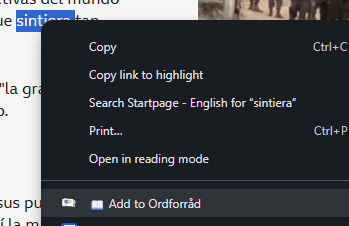
Go to any webpage, select a word, right-click, and choose "Add to Ordforråd" from the context menu. The extension will generate a flashcard in the background. You'll see a notification when it's ready.
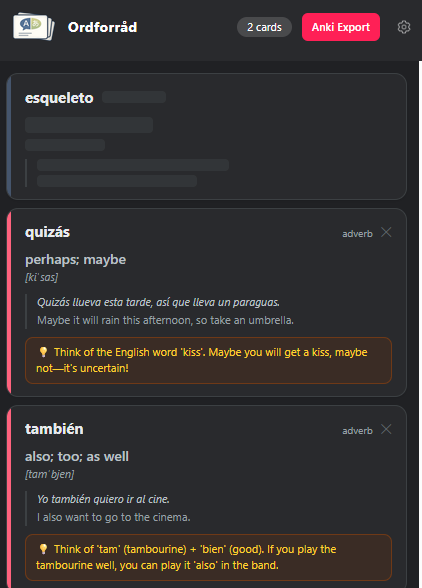
The card appears as a placeholder while it is being generated. Once ready, it fills in automatically and you will receive a browser notification. Generation time varies depending on your provider and model.
Review & send to Anki
Open the popup to see all your saved cards. Each card shows the word, translation, pronunciation, example sentences, and a memory tip.
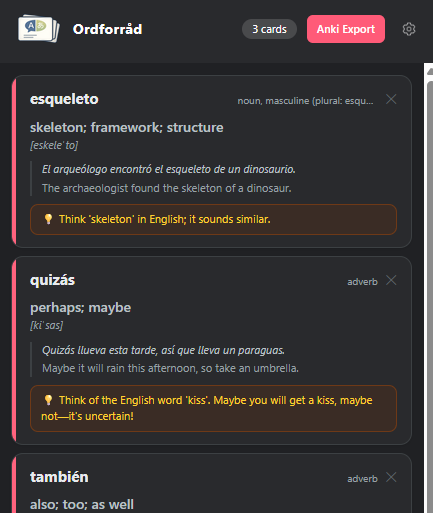
If Anki is open on your computer, a Send to Anki button appears in the popup. Click it and all your cards land directly in a new deck called Ordforråd, no file import needed. To make this work, install the free AnkiConnect add-on once. From then on it just works.
If you prefer, you can also click Anki Export to download a file and import it into Anki manually.
AI can make mistakes. Give your cards a quick look before studying them — if something seems off, just right-click the word again to regenerate it.